
Seamless
Studio継ぎ目のない、彫りの柄を。engraved, endlessly.
A pattern.
麻の葉、ダマスカス、分銅繋ぎ、ギヨシェ、クル・ド・パリ。116 の柄から選ぶと、シェイプレイヤーの線画になります。Asanoha, Damascus, Fundo Tsunagi, guilloché, clous de Paris. Pick one of 116 and it becomes shape-layer line art.
- Patterns116
- Output線画(シェイプレイヤー)Line (shape layer)
Height.
白い線をぼかした高さのマップ。白が高い。コンポのサイズで周期を作るので、どこまで並べても継ぎ目が出ません。A height map from the blurred white lines — white is high. The repeat is fitted to your comp, so it tiles forever without a seam.
- 1 Tile= コンポ全体the whole comp
- Image files0
Normal.
高さの傾きを R / G にしたノーマル。レイヤーとエフェクトで組んであるので、値を変えればすぐ追従します。The slope of the height, in R / G. Built from layers and effects, so it follows every change live.
- ConventionOpenGL (緑が上green up)
- Strengthエフェクトで調整An effect control
On metal.
金属文字の側面に、ロゴのプレートに、時計の文字盤に。どこに貼っても、柄は途切れません。On the sides of metal type, logo plates, watch dials. Wherever it goes, the pattern never breaks.
- Use it on金属文字・ロゴ・文字盤・UI 背景Metal type · Logos · Dials · UI backgrounds
柄を選ぶだけで
自動でタイリングテクスチャが生成できます。Just pick a pattern.
The tiling texture is generated automatically.
Light it.
then tile it.
下は Seamless Studio のエンジンで描いた柄から作った高さマップを、ブラウザで照らしたものです。カーソルを動かすと光が動きます。タイルの数を増やしても、継ぎ目はどこにも出ません。Below is a height map made from a pattern drawn by the Seamless Studio engine, lit live in your browser. Move the cursor to move the light. Add more tiles — there is no seam anywhere.
柄Pattern
出力Output
コントロールControls
パネルにも同じ「3×3 タイル確認」があり、作る前に継ぎ目を確かめられます。The panel has the same “3×3 tile check”, so you can confirm the seam before you build.
シェイプレイヤーのパス。線幅・色・ぼかし・オフセットをエフェクトで。Shape-layer paths. Line width, color, blur and offset are effect controls.
白線にぼかしを掛けたプリコンポ。白が高い。強さと反転はエフェクトで。A precomp of the white lines, blurred. White is high. Relief and Invert are effects.
高さの傾きを R / G に。OpenGL 規約(緑が上)。強さもエフェクトで。The slope of the height in R / G. OpenGL convention (green up), with its own strength.
116 patterns.
every one seamless.
ここに並んでいるのは、パネルと同じエンジンが実際に描いた 1 タイルです。カーソルを乗せると 3×3 に並べて表示します。どこにも継ぎ目がないことを確かめてください。Each card is one tile, drawn by the same engine the panel uses. Hover to see it repeated 3×3 — look for a seam; you won't find one.
「TRY」の付いた柄は、クリックすると上のプレビューで照らせます。Patterns marked “TRY” can be lit in the preview above — click one.
A panel in
your AE.
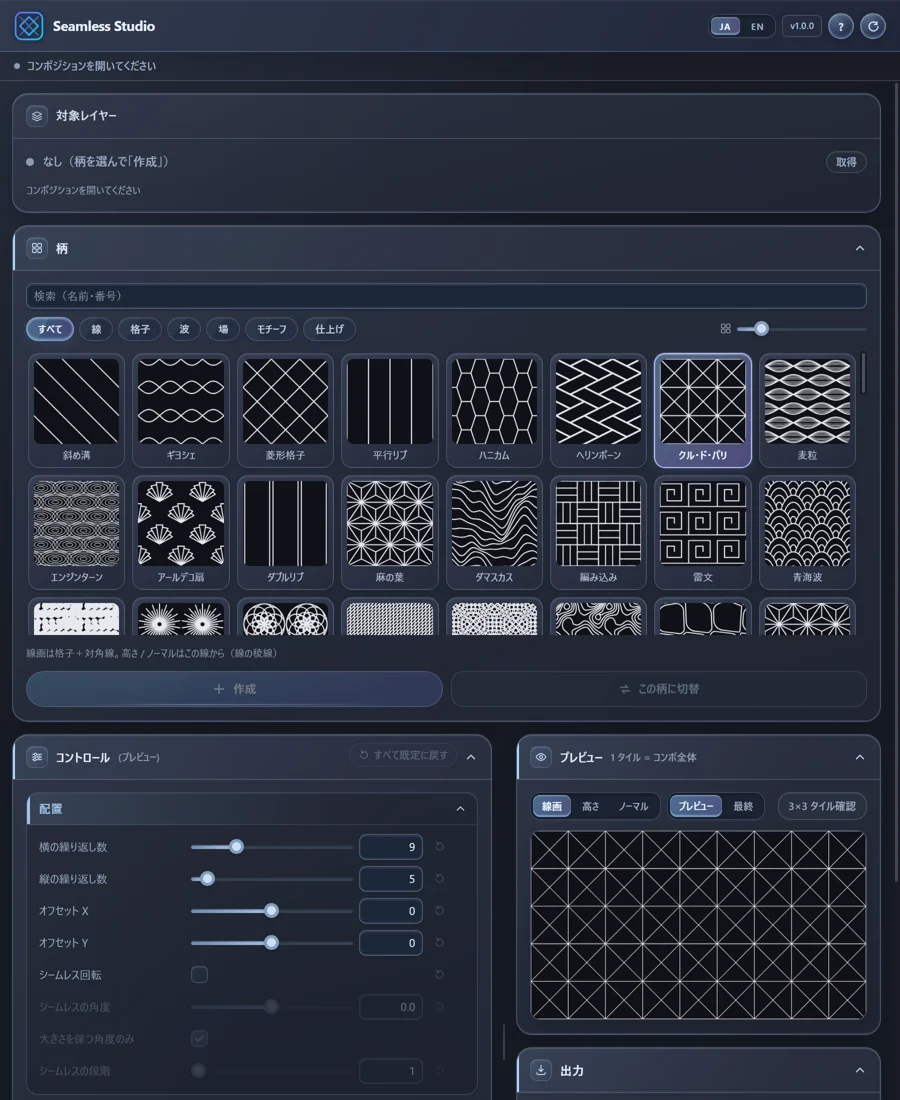
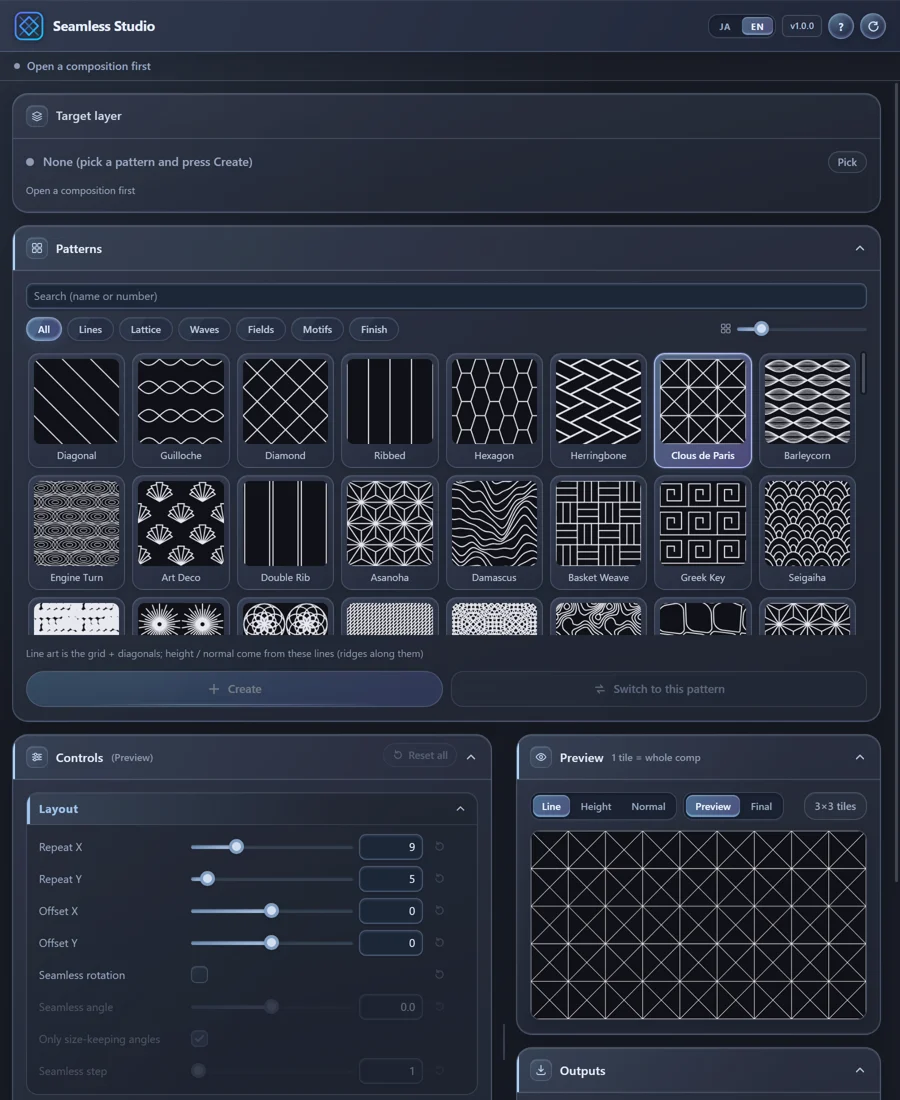
Seamless Studio は After Effects の中で開くエクステンションパネルです。作られるのは普通のシェイプレイヤーとプリコンポなので、そのままアニメーションできます。Seamless Studio is an extension panel that opens inside After Effects. What it builds are ordinary shape layers and precomps — animate them like anything else.
- コンポを開くOpen a compコンポのサイズが、そのまま 1 タイルになります。The comp size becomes one tile.
- 柄を選んで「作成」Pick a pattern, press Create線画と、高さ・ノーマルのプリコンポがまとめて作られます。Line art plus Height and Normal precomps, in one go.
- コントロールを動かすMove the controls繰り返し数・線幅・振幅・シード…。すべてエフェクトなので、キーフレームも打てます。Repeat, line width, amplitude, seed… All effects, all keyframable.
Seamless Studio がインストールされていない PC でも、このプロジェクトは開けます。線画・高さ・ノーマルの切り替えはエフェクトのチェックだけ。値の調整もできますが、Seamless Studio 上で触ることをおすすめします。The project opens even on a PC without Seamless Studio installed. Switching Line / Height / Normal is just an effect checkbox. Values can be adjusted there too, but we recommend editing them in Seamless Studio.
Tune it.
keyframe it.
共通のコントロールに加えて、柄ごとに専用のコントロール。値はすべて CONTROLS レイヤーのエフェクトに入り、式で線画・高さ・ノーマルに届きます。Shared controls, plus controls made for each pattern. Every value lives in an effect on the CONTROLS layer and reaches Line, Height and Normal through expressions.
On metal.
Seamless Studio の柄で作ったプロモーション映像。ヴァーグ、文字盤のギヨシェ、菱形格子、ヘリンボーン。Our promo film, made with Seamless Studio patterns: waves, guilloché dials, diamond lattices, herringbone.
YouTube で開く ↗Open on YouTube ↗
レンダリングは 3D ソフトで行っています。Seamless Studio は柄・高さ・ノーマルを作るパネルです。Rendered in a 3D application. Seamless Studio is the panel that makes the patterns, height and normal maps.
Pay once.
Keep it.
買い切りです。購入後すぐに、ライセンスキーがメールで届きます。Pay once. Your license key arrives by email right away.
116 柄すべてと、線画・高さ・ノーマルの出力。All 116 patterns with Line, Height and Normal outputs.
- 116 柄(線・格子・波・場・モチーフ・仕上げ)116 patterns (line, lattice, wave, field, motif, finish)
- 線画・高さ・ノーマル。画像ファイルなし、式で追従Line, Height and Normal — no image files, live expressions
- すべてのコントロールがエフェクト。キーフレーム可Every control is an effect, fully keyframable
- シームレス回転・静的パス・3×3 タイル確認Seamless Rotation, Static Paths, 3×3 tile check
- 日本語 / 英語 UIEnglish / Japanese UI
- After Effects2024 以降(2026 推奨)or later (2026 recommended)
- OSWindows 10 / 11 · macOS
- License1 ユーザー・同時に 1 台1 user · 1 PC at a time
- Commercial use可Allowed
- PaymentPolar
Coming soonチーム向けのフローティングライセンス(同時に使う人数分の席で共有する形)を、今後導入する予定です。A floating license for teams (shared seats, counted by how many people use it at the same time) is planned.
チームで使う人向けのフローティングライセンス。同時に使う人数分の席を、チームの中で共有します。A floating license for teams: seats are shared across the team, counted by how many people use it at the same time.
準備ができたら、このページでお知らせします。それまでは単体ライセンスをお使いください。We'll announce it on this page when it's ready. Until then, please use the single license.
- 単体と同じ 116 柄・すべての機能All 116 patterns and every feature of the single license
- 同時に使える人数 = 席数Seats = people using it at the same time
- After Effects2024 以降(2026 推奨)or later (2026 recommended)
- Licenseフローティング(席数で同時接続)Floating (concurrent seats)
- Commercial use可Allowed
何台の PC で使えますかHow many PCs can I use it on?
インストールは何台でも構いません。1 つのキーで同時に使えるのは 1 台です。別の PC で使用中のときは、パネルの「Use on this PC」でこの PC に切り替えられます。Install it on as many PCs as you like. One key runs on one PC at a time — switch with “Use on this PC” in the panel.
チーム(複数人)で使えますかCan a team use it?
はい。チーム向けのフローティングライセンスがあります。価格の「チーム」で席数を選んでください。同時に使う人数分の席を、チームの中で共有します。Yes. There is a floating license for teams — choose the number of seats under “Team” in Pricing. Seats are shared across the team, counted by how many people use it at the same time.
今は 1 ユーザー用のライセンスだけです。チーム向けのフローティングライセンス(同時に使う人数分の席を、チームの中で共有する形)を今後導入する予定です。For now there is a single-user license only. A floating license for teams — seats shared across the team, counted by how many people use it at the same time — is planned.
商用利用はできますかCan I use it commercially?
はい、できます。Seamless Studio で作った柄・高さ・ノーマルは、仕事の映像や広告などにそのまま使えます。Yes. The patterns, height and normal maps you make with Seamless Studio can be used in client work, commercials and other commercial projects.
オフラインでも使えますかDoes it work offline?
認証にはインターネット接続が必要です。認証後は、通信できなくても最後の確認から 30 日まで使えます。Activation needs an internet connection. After that, it keeps working offline for up to 30 days from the last check.
無料トライアルはありますかIs there a free trial?
ありません。柄はすべてこのページの一覧で、パネルの画面は上の画像で確認できます。No. You can see every pattern in the list on this page, and the panel itself in the screenshot above.
Seamless Studio を持っていない人に AE プロジェクトを渡せますかCan I hand the AE project to someone without Seamless Studio?
はい。Seamless Studio がインストールされていない PC でも開けます。作られるのは普通のシェイプレイヤーとプリコンポで、線画・高さ・ノーマルの切り替えもエフェクトのチェックで行えます。エフェクトコントロールで値を調整することもできますが、Seamless Studio 上で触ることをおすすめします。Yes. It opens even on a PC without Seamless Studio installed. Everything is ordinary shape layers and precomps, and switching Line / Height / Normal is an effect checkbox. Values can also be adjusted in Effect Controls, but we recommend editing them in Seamless Studio.
重い柄でタイムラインが遅くなりませんかWon't heavy patterns slow my timeline?
線の多い柄は「静的パス」で、式ではなく固定のパスにできます。毎フレームの計算がなくなり軽くなります(線が多い 12 柄は最初から ON)。Turn on Static Paths and the line art becomes fixed paths instead of expressions — no per-frame cost. The 12 heaviest patterns start with it on.
After Effects 2024・2025 でも使えますかDoes it work in After Effects 2024 / 2025?
使えます。ただし日本語版の After Effects 2024・2025 では、エフェクトコントロールのメニューで文字化けすることがあります。After Effects 2026 以降をおすすめします。Yes. In the Japanese versions of After Effects 2024 and 2025, however, text in the Effect Controls menu may appear garbled. After Effects 2026 or later is recommended.
macOS で使えますかDoes it run on macOS?
使えます。Windows と macOS の両方で動作を確認しています。Yes. It has been tested on both Windows and macOS.
インストール方法はHow do I install it?
.zxp を ZXP インストーラー(aescripts ZXP Installer など)で入れ、After Effects を再起動して「ウィンドウ > エクステンション > Seamless Studio」を開きます。Install the .zxp with a ZXP installer (e.g. aescripts ZXP Installer), restart After Effects, and open Window > Extensions > Seamless Studio.
Make it
seamless.
116 の柄と、その高さとノーマル。After Effects のパネルひとつで。
クーポン SEAM15 で 15%オフ。116 patterns, with their height and normal maps. One panel in After Effects.
15% off with code SEAM15.